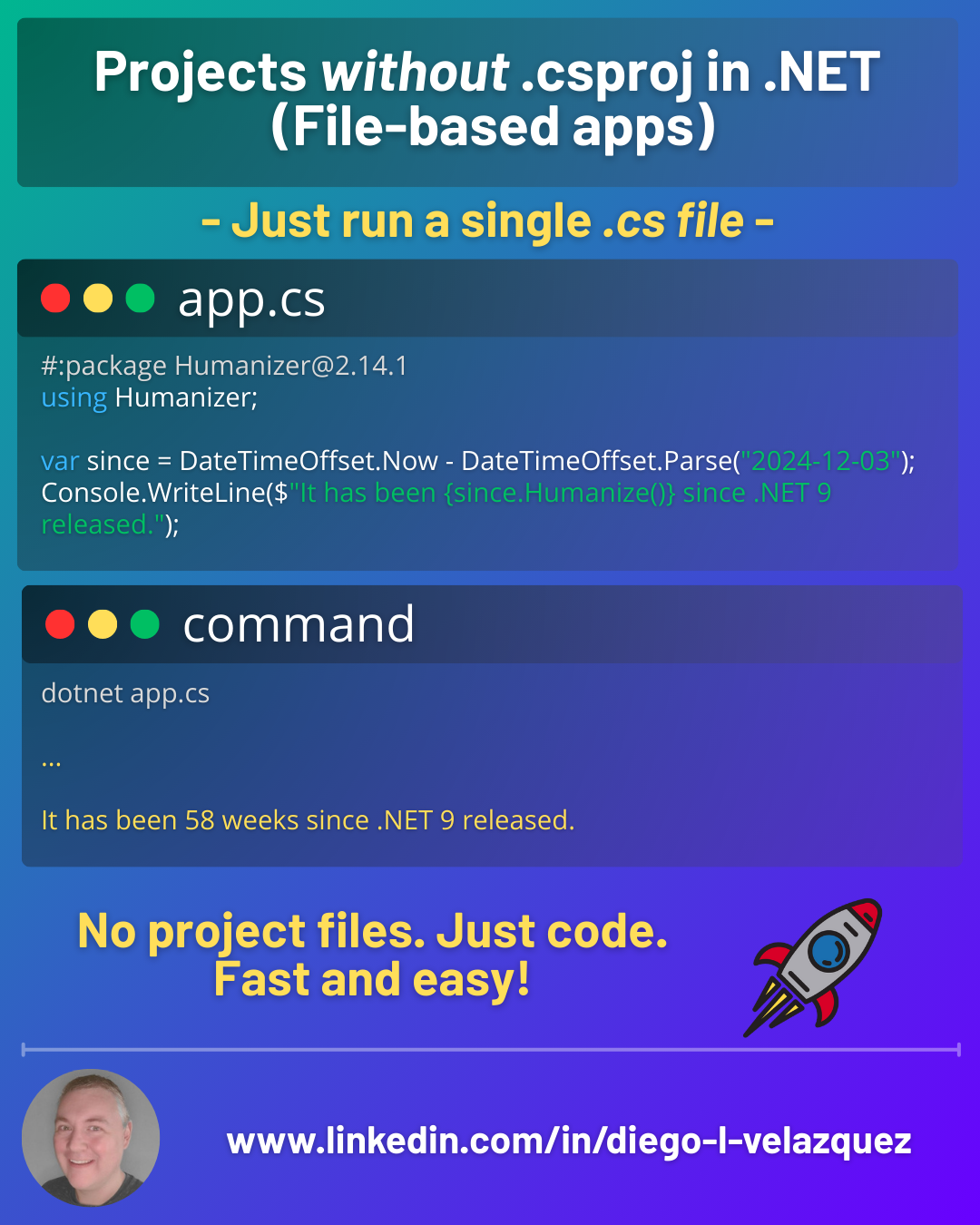
Projects without .csproj in .NET (File-based apps)
For years, the “smallest” .NET program still required ceremony: a folder, a project, a restore, a build… just to run one file.
With .NET 10, that changes.
You can now run a single .cs file directly — no .csproj, no solution, no scaffolding. This feature is called file-based apps.
The 10-second demo
Create app.cs:
Console.WriteLine("Hello from a single file!");
Run it:
dotnet run app.cs
You can also use a shorthand:
dotnet app.cs
This is first-class support in the .NET SDK for file-based apps.
Why this matters
File-based apps are perfect when you want C# to feel like a scripting language:
- quick prototypes / spike code
- tiny CLI utilities
- teaching / demos / katas
- automation scripts that outgrow PowerShell/Bash
And when your script “grows up”, you can convert it into a real project.
File-level directives (the “mini csproj” inside your .cs)
File-based apps support directives prefixed with #: at the top of the file:
#:package(NuGet)#:sdk(use Web SDK, etc.)#:property(MSBuild properties)#:project(reference an existing project)
Add a NuGet package
#:package Humanizer@2.14.1
using Humanizer;

var since = DateTimeOffset.Now - DateTimeOffset.Parse("2024-12-03");
Console.WriteLine($"It has been {since.Humanize()} since .NET 9 released.");
Run:
dotnet run app.cs
Spin up a Minimal API (yes, in one file)
#:sdk Microsoft.NET.Sdk.Web

var app = WebApplication.Create(args);
app.MapGet("/", () => "Hello from a single-file web app!");
app.Run();
Run:
dotnet run app.cs
Set build knobs via MSBuild properties
#:property PublishAot=false
(Useful because file-based apps enable Native AOT publishing by default.)
Build, publish, pack… still works
Because the SDK generates the project configuration for you, common CLI flows still apply:
dotnet build app.cs
dotnet publish app.cs
dotnet pack app.cs
Also handy:
dotnet clean app.cs
dotnet clean file-based-apps
Convert to a real .csproj when needed
When the script starts needing structure (multiple files, analyzers, test projects, packaging rules, CI, etc.):
dotnet project convert app.cs
This generates a folder + .csproj equivalent based on your #: directives.
Practical tips (learned the hard way)
- Keep file-based apps out of a
.csprojfolder tree. Project-level build files can interfere (Directory.Build.props/targets, etc.). Prefer a separate/scriptsfolder at repo root. - Use
global.jsonif you want to pin the SDK for repeatable builds. File-based apps respect it. - If you create many scripts, remember there’s a cache for file-based apps and a dedicated clean command (
dotnet clean file-based-apps).
When not to use it
If you’re building anything that looks like:
- multi-project solutions
- shared libraries + tests
- complex build/publish matrix
- large apps with custom MSBuild targets
…you still want a normal .csproj.
File-based apps are about speed and simplicity—and they’re amazing at that.